How to use this tool
- Choose a clear static JPG, PNG or WebP of a printed table. Crop away unrelated text and recognize the image.
- Enter column boundaries as percentages from the left of the adjusted image, then build a grid from OCR word positions.
- Correct every cell and compare row/column alignment with the source. You can also build from edited text using tabs or two spaces between cells.
- Check the review box and download CSV for the current page. Repeat for other images; leading zeros are kept in text, though spreadsheet software may reformat them.
Try a known example
The sample table has three columns: Item, Quantity and Price. Apples has 2 and 3.50; Oranges has 4 and 6.00. Start with boundaries 33, 66 and verify all nine cells.
Try a working example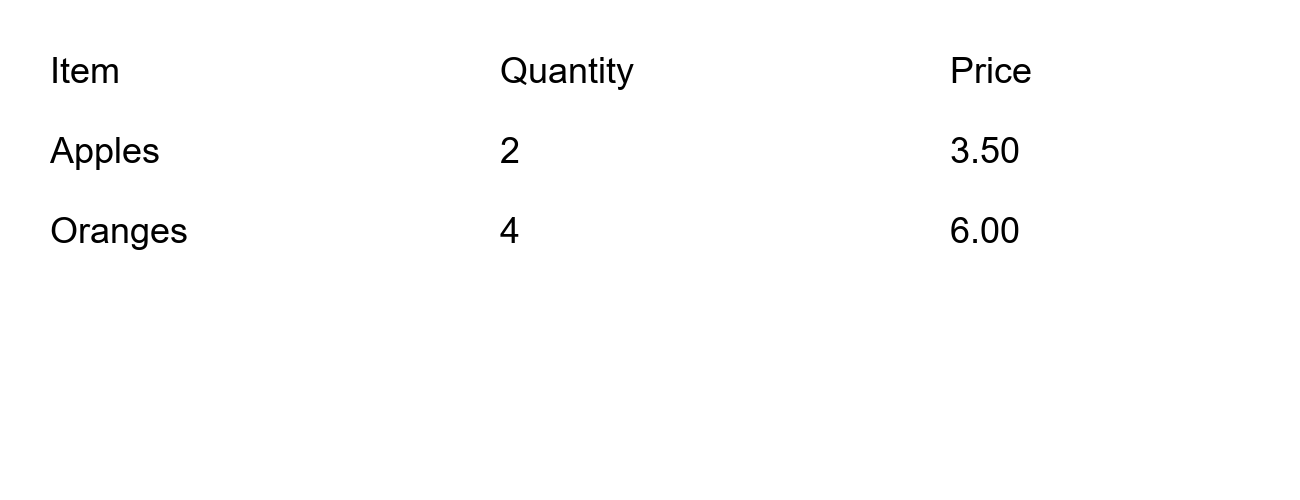
Questions and useful limits
Can it handle merged or wrapped cells?
The grid builder targets simple printed tables. Merged cells, spanning headings, wrapped content and irregular spacing need manual correction; automatic layout fidelity is not promised.
Can I correct numbers before export?
Yes. All cells are editable and export requires an explicit review step. CSV formula-like cells are escaped to reduce accidental spreadsheet formula execution.
Are images uploaded?
No. Recognition, grid creation and CSV export run locally. Export anything you need before clearing or closing the page.