How to use this tool
- Choose a receipt image or PDF. Read native PDF text first or recognize the printed scan.
- Compare the result with the source and correct important text and numbers.
- Suggest fields from current text. Only unique explicitly labelled lines are filled; ambiguous or absent fields remain blank.
- Enter any missing values only when visible in the source. Review every field, check the verification box and download CSV for the current page.
Try a known example
The synthetic receipt shows Subtotal 10.00, Tax 0.70 and Total 10.70. Verify these exact printed values. Its unlabelled store name is intentionally not guessed as a vendor.
Try a working example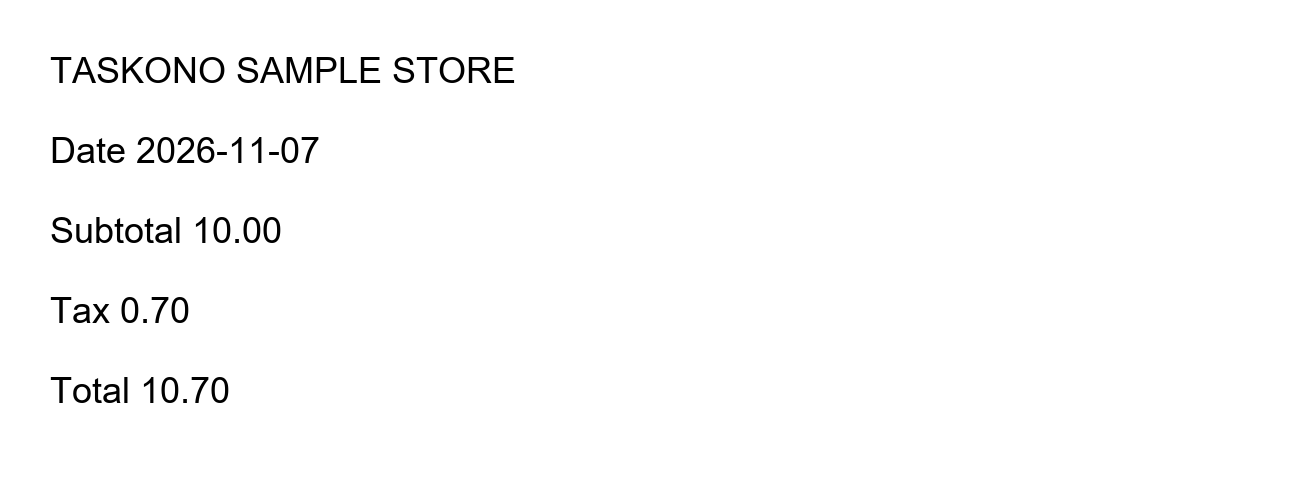
Questions and useful limits
Does it calculate or invent missing totals?
No. It copies candidate values from unique labelled lines and keeps raw printed strings. It does not calculate missing values, infer currencies or decide which ambiguous date format was intended.
Are these verified accounting records?
No. OCR can misread digits and labels. You must check the fields against the source before export and make any accounting decisions yourself.
Can I use PDF invoices?
Yes. The workspace accepts PDFs and static JPG, PNG or WebP images within its device-safety limits. The reviewed field export applies to the active page.